The restaurant reservation engine built for hotels
A reservation engine built from scratch for vacation hospitality: automatic complimentary meals by segment, integrated upselling, duplicate detection, and multi-restaurant management. All connected to your PMS.
Managing restaurant reservations with tools that don't understand your hotel?
Generic tools
CoverManager, OpenTable, or SevenRooms don't understand meal plans, complimentary meals, or hotel segments. You adapt your operation to them.
Manual complimentary tracking
Calculating how many free dinners each guest has based on their plan and nights. Manual work, error-prone, and time-consuming.
No upselling
The guest books a table and that's it. No opportunity to offer champagne, decoration, or a premium experience.
Each restaurant on its own
4 restaurants with 4 systems or a spreadsheet. No unified view, no duplicate control across them.
Generic tool vs Hoteligy
| OpenTable / CoverManager | Hoteligy | |
|---|---|---|
| PMS Integration | None or limited | Native — Opera, Sihot, Noray, SAP... |
| Auto complimentary meals | Doesn't exist | By segment, plan, rate, and nights |
| Upselling at booking | No | Wine, champagne, decoration, cake... |
| Duplicate detection | No | Blocks or allows canceling the previous one |
| Segmentation | Basic | By plan, rate, room type, club... |
| Multi-restaurant | Separate contracts | Unified management with cross-rules |
| Dynamic pricing | Fixed price | Price adapted by client segment |
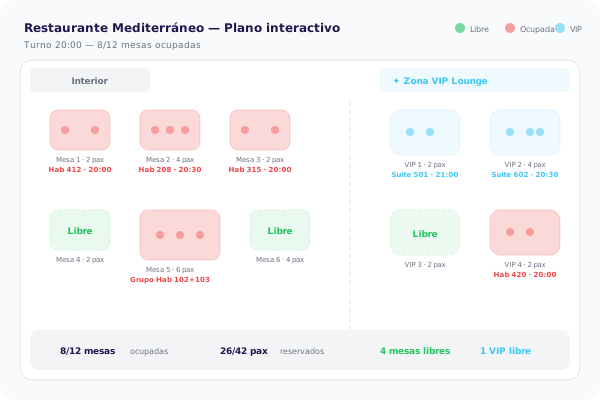
| Table map | Yes | Yes — SVG vector or photo floor plan |
Over 500 hotels trust Hoteligy









Everything your hotel restaurant needs
Automatic complimentary meals
Automatically calculates complimentary dinners based on plan, rate, room type, and number of nights. Per-restaurant or shared across all.
Suite 412
All Inclusive · 7 nights
3
complimentary
Hab 208
Media Pensión · 5 nights
1
complimentary
Hab 315
Solo Aloj. · 4 nights
0
complimentary
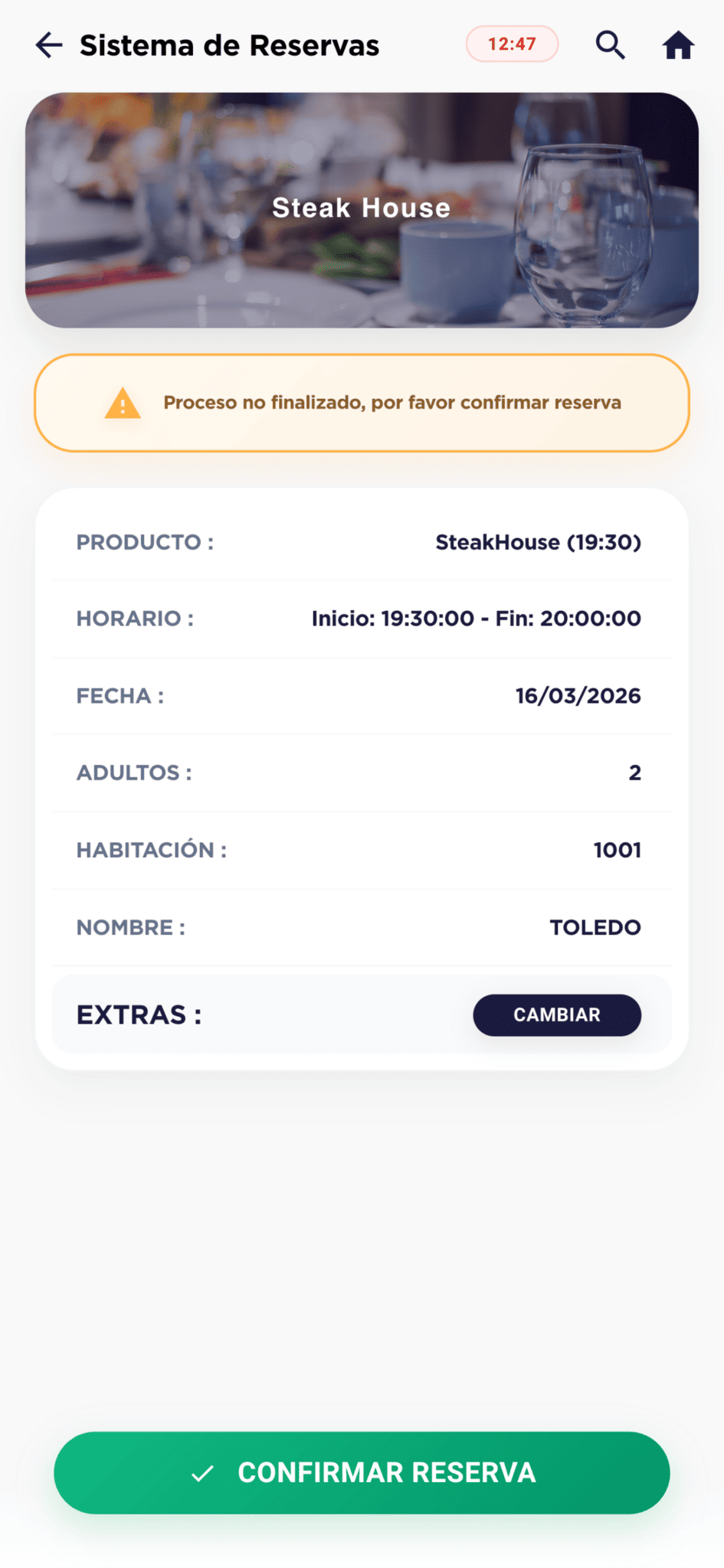
Add to your booking
Upselling at booking
Offer premium products during the process: wine bottles, champagne, table decoration, celebration cake, or any ancillary product.
Rules that work for you
Duplicate detection
If the room already has a booking at the steakhouse, it can't book the same day at the sushi restaurant. Can cancel the previous one or change day.
Cross-bookings
If the selected restaurant is closed today, automatically offers open alternatives for that day.
Group bookings
Add multiple rooms to one booking. Ideal for families (grandparents + parents + kids) or friends who want to dine together.
Access by segment
Restrict access to restaurants or zones by client segment. VIP lounge zone only for premium guests. Regular hotel with one set of rules, vacation club with another.
Virtual zones
Different quotas and availability within the same restaurant. Full for vacation club but not for regular hotel. Each zone with its own capacity.
Advance booking by segment
Regular guests book same-day only. Vacation club up to 7 days ahead. Define advance booking privileges by profile.
Full control of tables, capacity, and schedules
Resource selection
Table, zone, or sunbed. Selection by buttons or on SVG map/floor plan photo. Optional or mandatory. Exclusive or shared resources.
Resource limits
A booking for 2 can't select a table for 6. Resources adapt to booking size.
Dual capacity limit
Limit by pax or by number of bookings — whichever is reached first blocks the slot. Max 10 pax or max 3 bookings.
Schedule restrictions
Restrict schedules for children or define special slots by client profile.
Paid advance booking
Booking for today is free. Guaranteeing your spot for 3 days ahead has an additional cost. Monetize advance booking.
Dynamic pricing by client
Booking price adapts to guest segment. All-inclusive free, half-board discounted, room-only at full price.
No-show management
No-show tracking and guest-side cancellations. Data to optimize operations.
Marketing In-Stay integration
Complimentary reminder X hours before, satisfaction survey after dinner. All automated with the Marketing In-Stay module.
Guest view (WebApp)
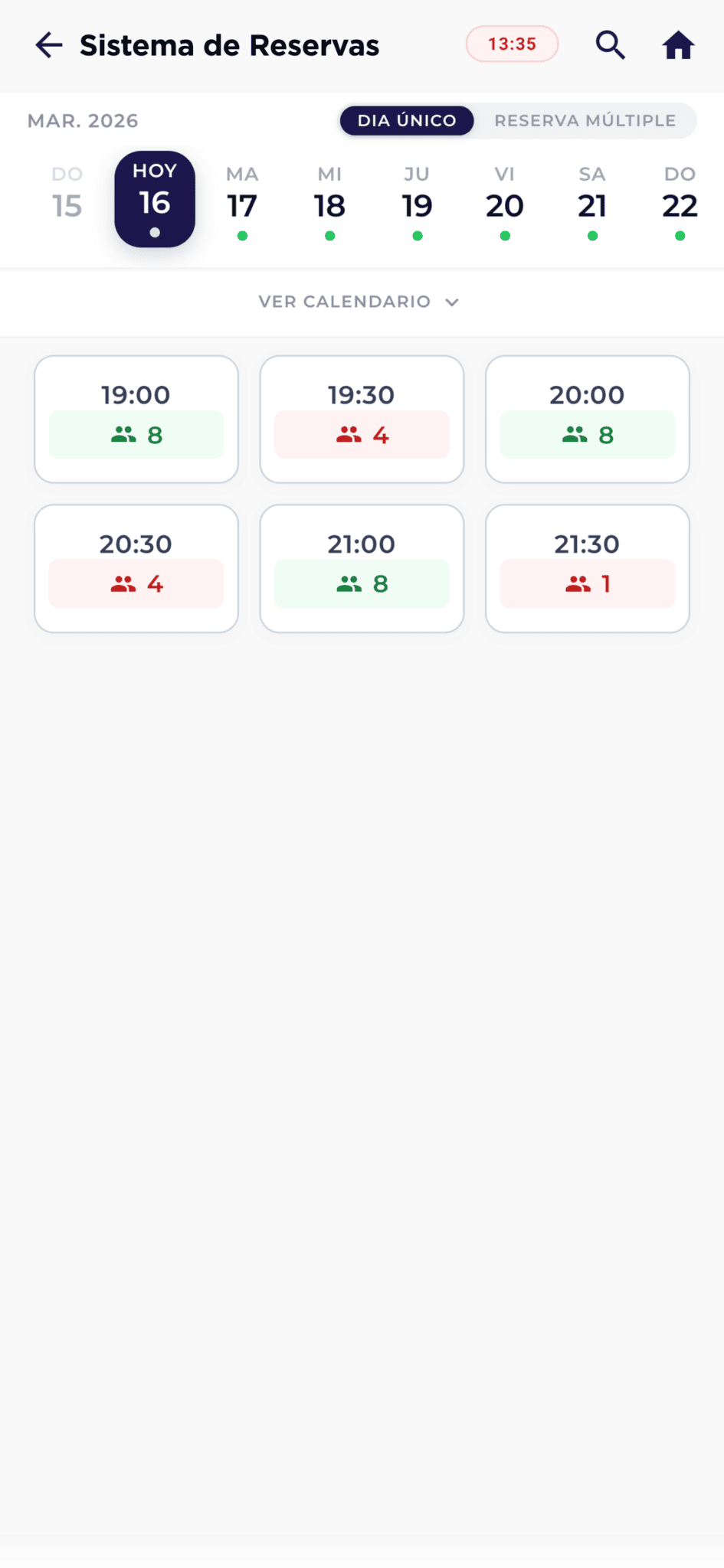
Staff view (CMS)
Full control from the management panel
Your team manages everything from the CMS: bookings, floor plans, reports, and permissions. No dependencies.
Granular permissions
Users who can view, edit, cancel, add manual bookings, or force bookings when capacity is full.
Advanced reports
Filtered listings in datatables. Export data, analyze occupancy, and optimize slots.
Timeline view
Manage bookings and resources on a timeline or directly on the restaurant floor plan.
Manual bookings
Staff can create bookings directly, even forcing capacity when full.
Floor plan management
Drag, assign, and reorganize tables directly on the restaurant visual floor plan.
Staff roles
Reception view-only. Maître edits and cancels. Director forces bookings and exports reports.
External website widget
Generate an embeddable widget for the hotel corporate website. Allows bookings from external customers, not just guests.
Want to see how it manages complimentary meals automatically?
We'll demo it with real resort data.
"Hoteligy table booking module has simplified our management. Complimentary meals are calculated automatically and duplicate control saves us problems every day."
Maître
5★ Resort, Riviera Maya
Frequently asked questions about hotel restaurant bookings
Does it integrate with our PMS?
Yes. We natively integrate with Opera, Sihot, Noray, SAP, Protel, and more. Integration provides guest data (plan, rate, room type, nights) to automate complimentary meals and segmentation.
How do automatic complimentary meals work?
The system calculates complimentary meals based on plan, rate, room type, and number of nights. They can be per-restaurant or shared across all. Everything is configured from the CMS.
Can we manage multiple restaurants?
Yes. Unified management of all hotel restaurants with cross-rules: duplicate detection, shared complimentary meals, and a global view of all bookings.
Can the guest select a table?
Yes. Table selection can be via buttons or on an interactive map (SVG vector or floor plan photo). Can be optional or mandatory. Tables are limited by booking size.
Does it work with the Marketing In-Stay module?
Yes. It integrates to send complimentary reminders before dinner and satisfaction surveys afterwards. All automated without team intervention.
How long does setup take?
Initial setup of restaurants, slots, zones, and rules takes 2-3 days. Includes complimentary configuration, segments, and team training.
Professionalize your restaurant reservations
Request a demo and we'll show you how to manage complimentary meals, upselling, and segments automatically.